
Steam Gift Cards – Top Up Your Steam Wallet Instantly

Adding funds to your Steam Wallet is straightforward. Browse and buy Steam Gift Cards below, pick the denomination that suits you, and your digital code arrives by email the moment payment clears. Every card is sourced from verified suppliers, so you can buy with confidence and start spending on Steam right away.

Products

How to Pick the Right Steam Gift Card for Your Account

Steam Gift Cards come in a range of values, from smaller top-ups suited to occasional purchases to larger denominations for players who buy frequently or want to pre-load funds before a big sale. Think about how much you typically spend in a month and choose accordingly. Check the available denominations in the listings below.

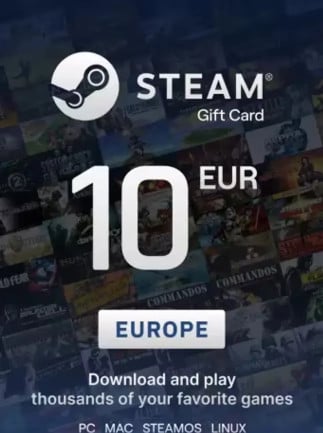
Region matters more than most buyers expect. Each card is issued in a specific currency and region (USD, EUR, GBP, Turkish Lira, and others), and Steam will only accept a card that matches your account's country and currency. A US-dollar card will not redeem on a European account, and Turkey-region cards carry additional restrictions tied to Steam's regional pricing rules. Always confirm your account's region before selecting a card.

If you want to send funds to a friend rather than top up your own wallet, Steam lets you gift a card directly to another Steam account. The process differs slightly from adding funds to your own wallet, so check the gifting option at checkout and make sure your friend's account region aligns with the card you choose.

See the current listings below to find the right denomination and region for your account.

Competitive pricing
01 Competitive pricing
Secure checkout
02 Secure checkout
Buyer protection
03 Buyer protection
Activation support
04 Activation support

FAQ

Open the Steam client, click your account name at the top right, and select "Account Details". From there, choose "Add funds to your Steam Wallet" and then "Redeem a Steam Wallet Code". Enter the code exactly as provided and confirm. The funds appear in your wallet immediately. You can also redeem through the Steam website by visiting store.steampowered.com/account/redeemwalletcode.

Buy a card that matches your Steam account's country and currency. If your account is set to USD, choose a USD card. EUR accounts need a EUR card, and so on. Turkey-region cards are tied to Turkish Lira pricing and carry specific regional restrictions that prevent them from being used on accounts registered outside Turkey. When in doubt, check your account's current currency under Account Details before purchasing.

Your code is delivered digitally to your email address and your Gamerall account dashboard as soon as your payment is processed. No physical shipping, no waiting period. If you do not see the email within a few minutes, check your spam folder or log in to your account dashboard to retrieve the code.

Yes, Gamerall sources keys from verified suppliers and every purchase goes through a secure checkout with buyer protection. If you run into any issue with your code, the customer support team is on hand to help with activation and redemption. These are genuine codes backed by a verifiable supply chain, not listings from unknown sellers.

Shopping Cart

You didn't add any item in your cart yet. Browse the website to find amazing deals!

Search

You can try some popular tags here:

Profile

Don’t have an account?
Create an Account