

 GAMES
 Collections
 Gift Cards I Passes
 Game points
 BLOG


- Added:
- Updated:
Steam, Xbox, and PlayStation gift cards all serve the same basic purpose: adding credit to an account. The real differences are where that credit can be used, what it can pay for, and how regional restrictions work.
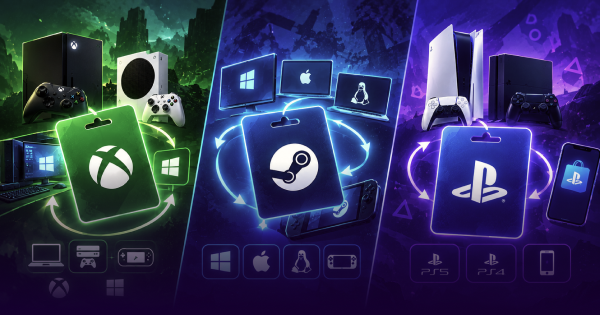
This Steam vs Xbox vs PlayStation gift cards comparison focuses on those practical differences, especially value, cross-platform use, and regional limits. If you are trying to choose the best gaming gift card in 2026, those details tell you far more than the logo on the front.
Steam vs Xbox vs PlayStation Gift Cards Compared
The quickest way to compare the three is to look at where the balance works, what you can buy with it, and how regional restrictions are handled.
| Feature / Criteria | Steam Gift Card (Valve) | Xbox Gift Card (Microsoft) | PlayStation Gift Card (Sony) |
|---|---|---|---|
| Primary Ecosystem | PC, Steam Deck, Linux, Mac | Xbox Consoles, Windows 10/11 | PS5, PS5 Pro, PS4, PS VR2 |
| Hardware Purchases | No, digital store only | Yes, hardware at Microsoft Store | No, digital PS Store only |
| Subscriptions | No platform subscription | Xbox Game Pass, PC Game Pass | PlayStation Plus, all tiers |
| Code Format | 15–16 characters | 25 characters | 12 digits, PSN wallet voucher |
| Cross-Platform | Within PC systems | Highest, Xbox console & PC | Closed PlayStation ecosystem |
| Regional Limits | Currency conversion rules | Tied to account currency/country | Strict country and account match |
| In-Game Content | Community Market, items | In-game currencies & DLC | V-Bucks, FC Points, CoD Points |
Which Gift Card Gives Best Value
If you are asking which gift card is best for gaming, the answer depends on what you plan to spend the balance on. This gaming gift cards comparison gets more interesting once you look beyond games themselves.

Xbox gives you the widest range of uses. Microsoft Store balance can go toward digital games, Game Pass Ultimate or PC Game Pass, and selected hardware such as controllers, headsets, and consoles.
PlayStation gift cards stay inside the PlayStation Store. The balance can be used on PS5 and PS4 games, DLC, PlayStation Plus, and in-game currency such as V-Bucks, Call of Duty Points, or EA SPORTS FC Points. If a game is already discounted on PSN, wallet credit can be used toward that sale price.
Steam is more focused on PC. Its balance covers games, software, DLC, and eligible Community Market purchases, with a much broader PC catalog than either console store.
For hardware and subscriptions, Xbox has the advantage. PlayStation makes more sense for someone already buying most of their games through PSN, while Steam is the obvious fit for a PC-focused library.
Can You Use Them Cross-Platform
The Steam vs Xbox gift card comparison is fairly simple once you look at where the balance can be used.
Xbox covers both console and PC. Once redeemed, the balance can be used across Xbox Series X/S, Xbox One, and supported purchases on Windows 10/11 through the Microsoft Store. That includes PC games and Xbox Play Anywhere titles tied to the same Microsoft account.
Steam works across Windows, macOS, Linux, and Steam Deck, but the balance stays inside Steam. You cannot move it over to Xbox or PlayStation.
The Steam vs PSN gift card comparison is more restrictive on Sony's side. PlayStation wallet funds stay tied to PSN and can be spent on PS5, PS5 Pro, and PS4 content or through the PS App. They do not carry over to PC stores.
Regional Gift Card Restrictions
Region plays a big role with all three cards, and it is worth checking before you buy.
PlayStation is the strictest. A 12-digit voucher has to match the country set on the recipient's PSN account. A card bought for Europe will not redeem on a US account, and wallet funds cannot be moved from one region to another.
Xbox codes are tied to Microsoft account region and currency as well. If the code does not match the account, redemption can be blocked with a region error.
Steam is a little more flexible in some cases because wallet value can be converted into local currency when Valve allows it. Regional activation rules still apply, though, and some vouchers will only work in selected countries or currencies.
The safest option is simple: buy a card for the same country and currency as the account that will redeem it.
Gamerall Gift Card Deal
Once you know which platform the card is for, the choice gets much simpler.
You can check Steam gift cards for Steam Wallet credit, Xbox gift cards for Microsoft and Xbox purchases, or PlayStation gift cards for PSN spending.
The differences from the earlier Steam vs Xbox vs PlayStation gift cards comparison still apply here. Xbox credit covers the widest mix of purchases, including games, subscriptions, and some hardware. PlayStation credit stays inside PSN, while Steam Wallet funds are tied to Steam and its PC-focused catalog.
Before buying, check the region and currency on the card. After that, it mostly comes down to where the recipient already plays and spends money.